
McSTS
School bus software where changing a driver is one edit, not forty.


When a driver changed routes, someone in the office opened every student on that route and retyped one name.
Mid Canterbury School Transport Service moves about 1,900 students a day across 36 school routes with 27 drivers, in rural Canterbury. It ran on a dated .NET application the office found very hard to use, and the client came back with a list of things they wanted to be able to do.
Driver changes were the worst of it. On a 40-student route, that was 40 saves and 40 chances for a typo. Records drifted out of date, and parents sometimes got emails naming a driver who no longer drove their child’s route.
So the driver stopped being something you type on a student.
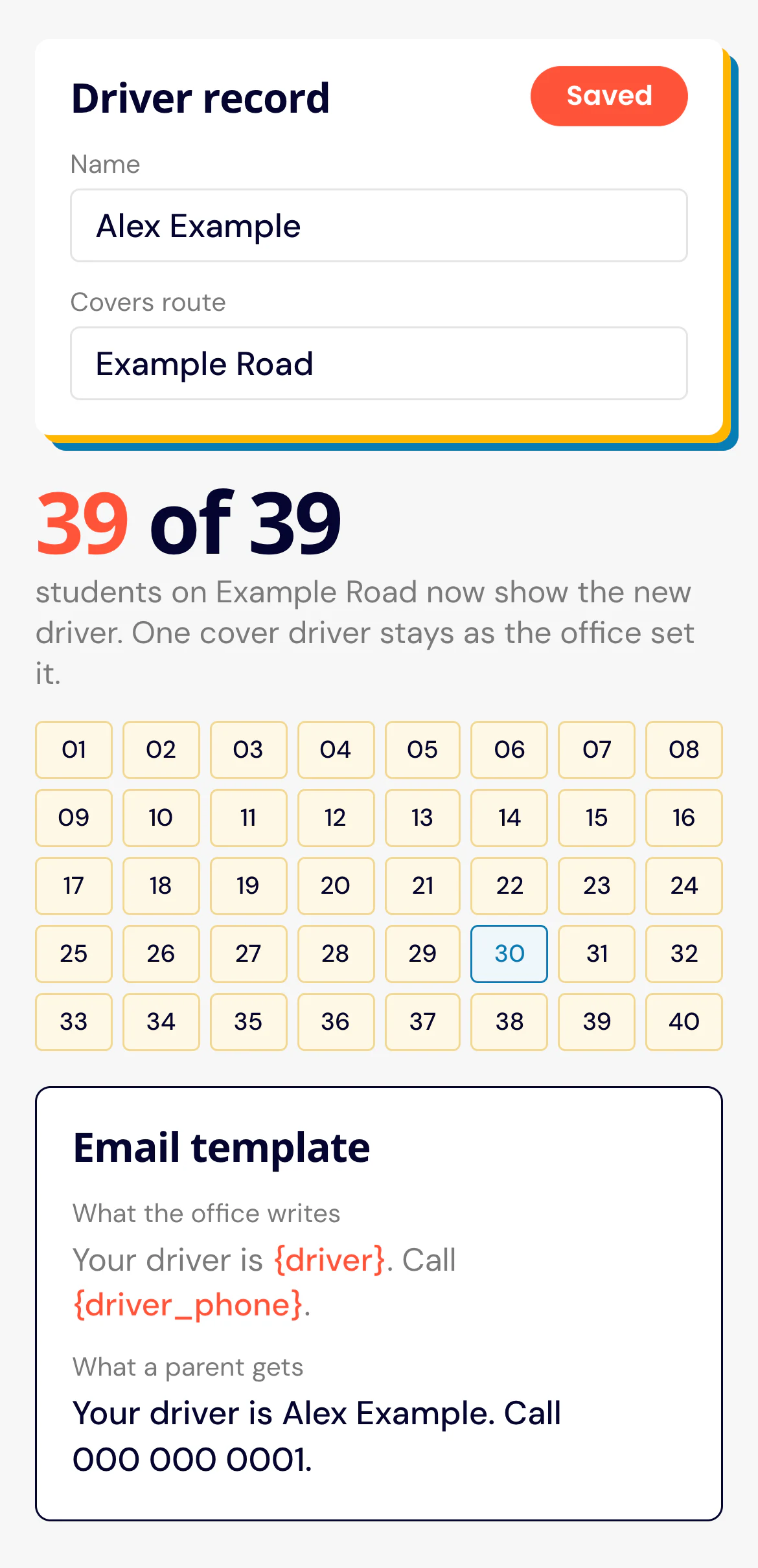
I made each student take their driver from their route. One edit on the driver record, and every student on that route follows in seconds.

Six kinds of record
Students, drivers, routes, schools, bus companies and email templates. Most of what the system does comes from the links between them. A School Years grouping runs across the students, so filtering and reporting stay consistent from one year to the next.
It runs on WordPress, but all the logic is in one plugin I wrote for this operator. WordPress only delivers the pages and handles sign-in.
Where it doesn’t follow
Sick days happen. The office can put a cover driver on a single student, and that student keeps that driver when the route’s driver changes.
Emails that name the right person
The office writes each template with placeholders like {driver} and {driver_phone}. They’re filled when the email goes out, from the current driver on that student’s route. The office can change the wording itself, without a developer.
The office never opens WordPress.
Everything happens on pages in the same look as the public site: a list and a detail page for each kind of record, with search and filters for route, school, year, driver, status and approval. There’s no dashboard and there are no plugin menus.
Parents start the record
A parent fills in the Student Registration form, and the submission becomes a real student record, already on the chosen route and school, ready for the office to review and finish.

Starting clean
One pass on deploy day brought every existing record into line, so nobody had to sweep through them by hand. The same tool stays in the system, and any administrator can run it if things ever drift.
Hours of admin a week became one edit on the driver record.